
Our website uses cookies
Our website uses cookies. By continuing, we assume your permission to deploy cookies as detailed in our Privacy Policy.


The credit union does not represent either the third party or the member if the two enter into a transaction.

All checking accounts come standard with:
Waiting for a new card to arrive? With digitally issued and reissued cards, the wait is over. Forever. Now you can add a new or lost/stolen replacement card to your digital wallet before its physical version arrives in the mail, letting you start or resume purchases. And just like any other card you’ve previously added to your digital wallet, it’s a quick, secure and seamless experience.
Quickly apply for and start using your digital card as you wait for the physical one in the mail.
Once issued, quickly and easily add the digital version of your card to your digital wallet using any internet-enabled device.
Avoid fraud by blocking transactions present on the card until your physical card is activated.
Enjoy full integration with your digital wallet and online account to ensure a simple and smooth experience.
Request a new card to get started – whether it’s for a brand-new one or a replacement for one that was lost or stolen.
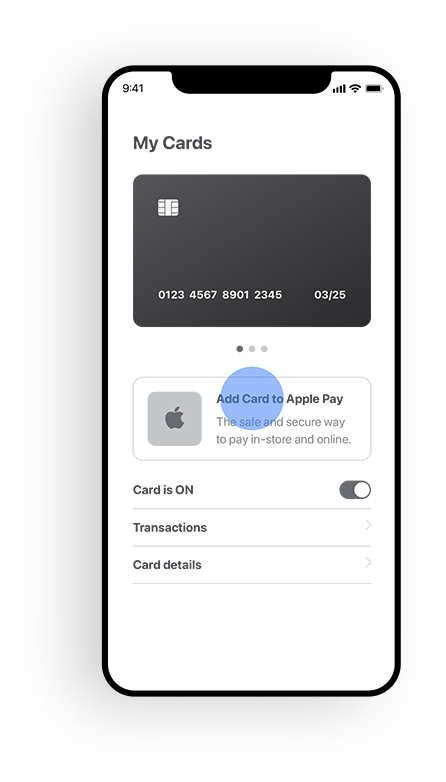
Next, you’ll receive a text message with a link to access your new card. Tap the link!
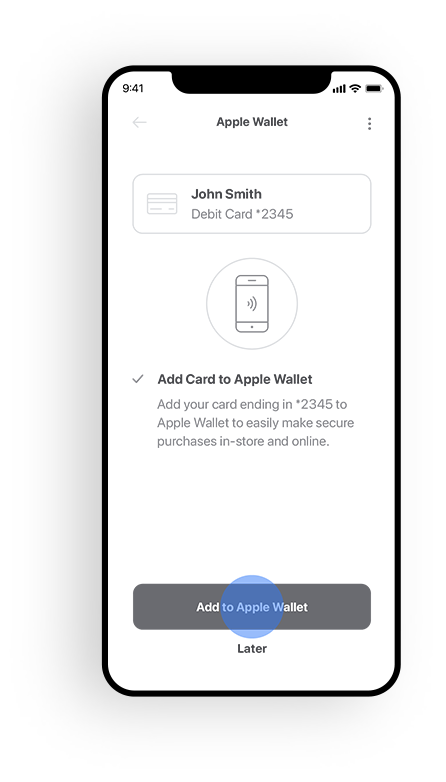
The link you are texted takes you to a secure web page. Follow the prompts on screen to easily and safely activate your new card.
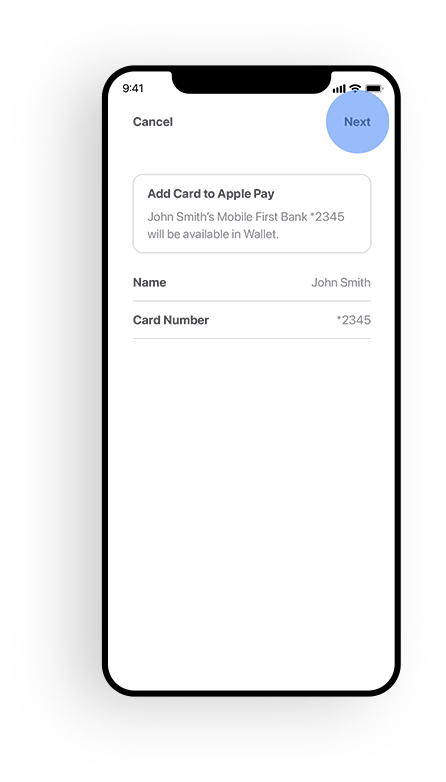
Then add your new card immediately to your digital wallet, and you can start using it wherever digital payments are accepted.
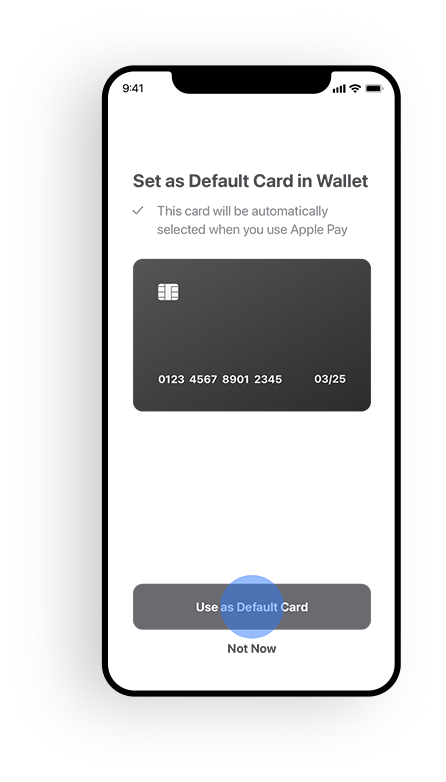
See how your spending universe expands when you can add or replace a card in your digital wallet in an instant.
Debit Cardholder will be issued a NEW card. Follow previous steps.
Credit Cards. Go to the Mobile App, tap on cards and follow the prompts to add the card to your mobile wallet or use online.
Avoid fraud by blocking transactions present on the card until your physical card is activated.
Have a question or need assistance? Our team is happy to help! Please complete our short form and we'll contact you.

